
Hello again. It’s been less time since the last post this time, and I hope this one is a bit shorter than the last.
I wrote a post about this topic, but it ended up being excessively long, so I’ve divided it into three parts. This will be the first post of the three, in which I will explain my experience keeping a log of the movies, series, and games I’ve watched and played. In the next two posts, I will explain the two new tools I use for my media tracking.
Background
I am a person who likes to know what I did and when I did it, but at the same time, I have a bad memory. On the other hand, I’ve never had much film culture. I watched movies within the norm, whatever was on TV and occasionally what was in the cinema. I watched almost no series; I remember watching The Walking Dead and Breaking Bad, but I didn’t finish either. Regarding games, things are different. Since I was little, I loved them and played quite a few. There was a time when I stopped playing, then I returned to them with much more moderation, started studying video game development, and now I make them. When I got older, I ended up getting a taste for movies and series; I started watching them differently. It also helped that it is now much easier to have access to any movie.
Keeping control of what you watch and play is quite satisfying. It is information about yourself captured in a medium that allows you to see your tastes and cultural evolution. That is why I wanted to have a media tracker. The problem is that there is no solution available that meets all my needs. So, in this post, I will do a retrospective of my evolution using different tools to maintain a media registry.
Twitter and TvTime
It all started in 2022 when I realized that I hadn’t played anything so far that year, nor was I used to watching series or movies. I wanted to keep track of what I watched and played, so I started a Twitter thread with the games I was beating, and I used TvTime to keep a record of movies and series. I beat several games in a row that month, but I put it aside. I was using TvTime to keep track of episodes, but sometimes I forgot to mark an episode as watched; I’m a bit of a mess.
In 2023, I started another thread for everything I played and watched that year. Now I was taking it more seriously. When I finished a game, a movie, or a series, I wrote a tweet with a comment and added images.
I continued in 2024 with the same thing. I used TvTime to keep track of what I was watching so I wouldn’t forget which episode I was on and to have a perspective of what I was consuming.
Stash and Backloggd
For movies and series, TvTime was fine, but for video games, I had a problem. I was considering several options.
First, I found Stash, which is a mobile app for tracking video games. You can mark games as completed with the main story, main plus extras, or 100% completed.
Later, I saw Backloggd and investigated it. It is very similar to Stash but on the web. They had something on their roadmap that interested me a lot: the creation of an API. This way, I could read and modify data externally. They never ended up creating it and removed it from the roadmap.
Notion
With the previously mentioned tools, I could track everything, but I didn’t own my data; I had no way to extract the data to put it into another tool if they were to discontinue it. Just in 2024, the Notion fever hit me. With this tool, I could create my own databases, and it occurred to me to keep the tracking there. The idea was to keep using Twitter as a social showcase and TvTime as an episodic tracker. The main problem with Twitter was that I couldn’t edit the tweet if there was a mistake; it’s very volatile information, and searching for something was becoming very complicated. TvTime just worked; it was missing some things like being able to see where my friends were in each series, but otherwise, it just worked for me.
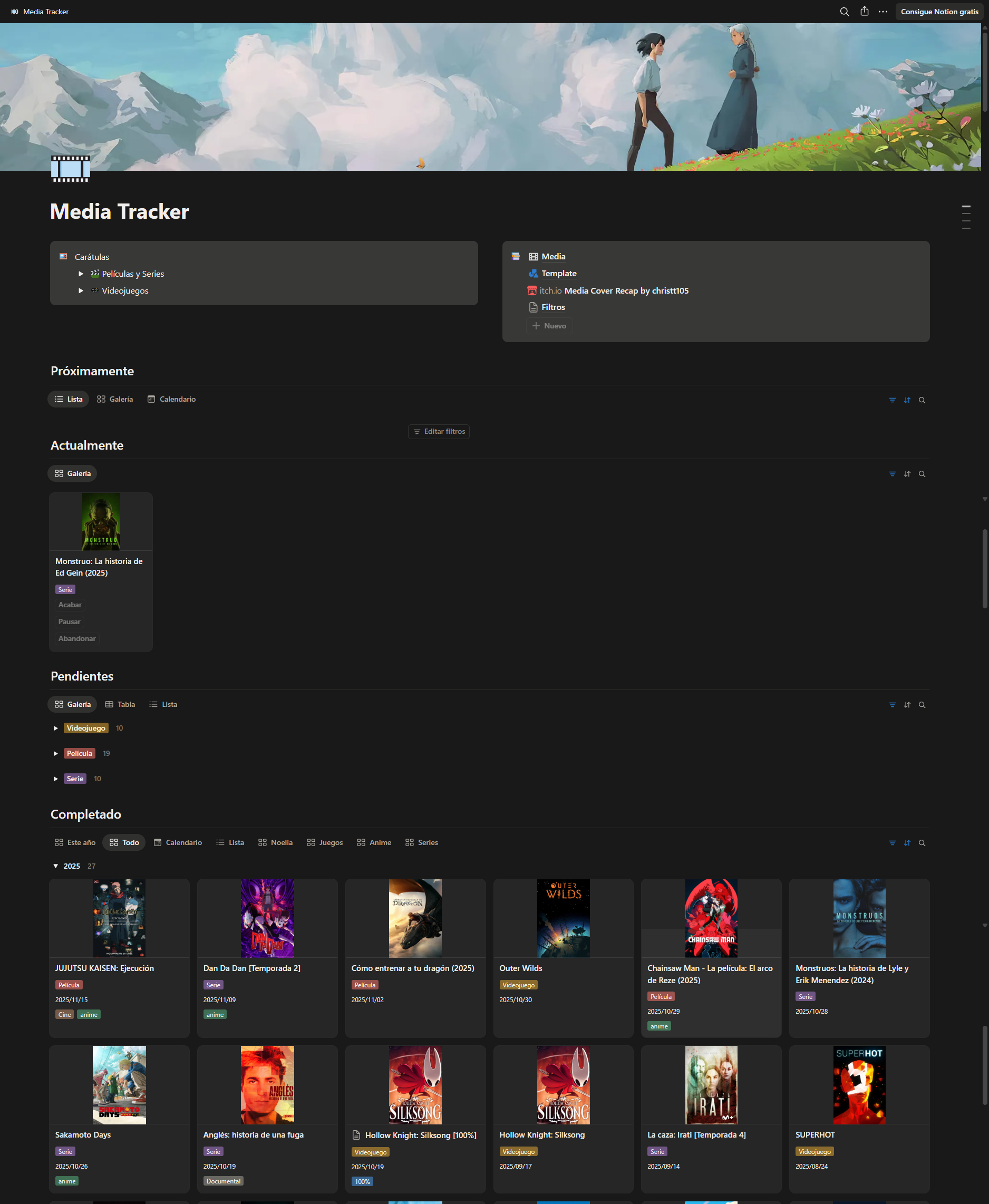
On the other hand, with Notion, I could generate a database where each item was a movie, series, or video game. I could edit any note at any time and publish it on the web. Later, they added the possibility of making charts to show statistics. Everything was very pretty, so I created a template and started migrating everything to Notion. I published the website with Notion and kept using Twitter and TvTime as usual, tracking series in TvTime, and upon finishing a series, game, or movie, I published it on Twitter and added it to Notion.
In Notion, I had several sections where the items were shown. Each movie, series, or video game has several properties. The essentials are:
- Cover (Image): usually the direct URL of the image from tmdb or thetvdb, or an uploaded image.
- Type (Select): Movie, Series, or Video Game.
- Status (Status): Not Started, In Progress, Paused, Abandoned, or Finished.
- Completed (Date): Completion date.
- Release (Date): Release date, with the possibility of a notification to alert me.
- Properties (Multi-select): Different properties like the game platform, if I watched it in the cinema, if it is anime, or if I completed it 100%.
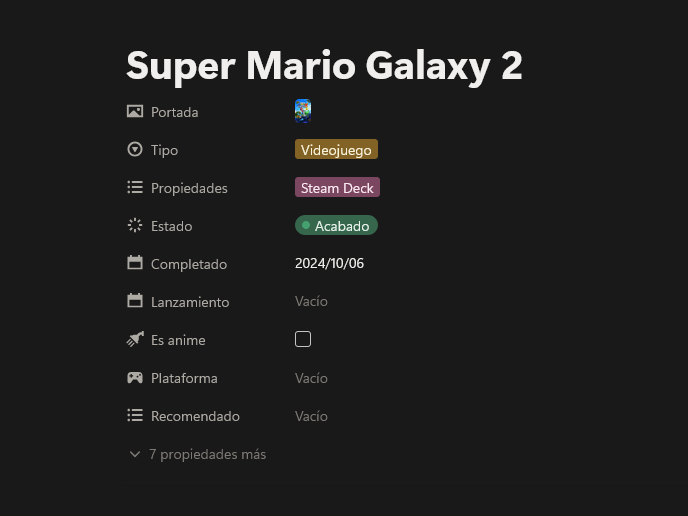
Every time I wanted to add a new item, what I had to do was go to TMDB, TVDB, or SteamGridDB, search for the name, copy it, go back to Notion, create a new note, paste the name, go back to the web, search through the posters for the one I liked the most, copy the URL, go back to Notion, paste it in the cover section as a URL, and finally select the type of item it is. It’s not excessive work, but nothing comparable to the workflow I have achieved now.
There are other properties like buttons that change the status and date or “recommended to people,” but they aren’t interesting. With all these properties, you can make a more than decent tracker.
The website with Notion
Notion allows you to publish your notes to the web. I published the Media Tracker with Notion, and it generated this URL: https://christt105.notion.site/media-tracker. The web is basically the Notion interface but without the ability to interact. You can’t change the style, so the covers remain very small, and the result leaves much to be desired.
Media Cover Recap
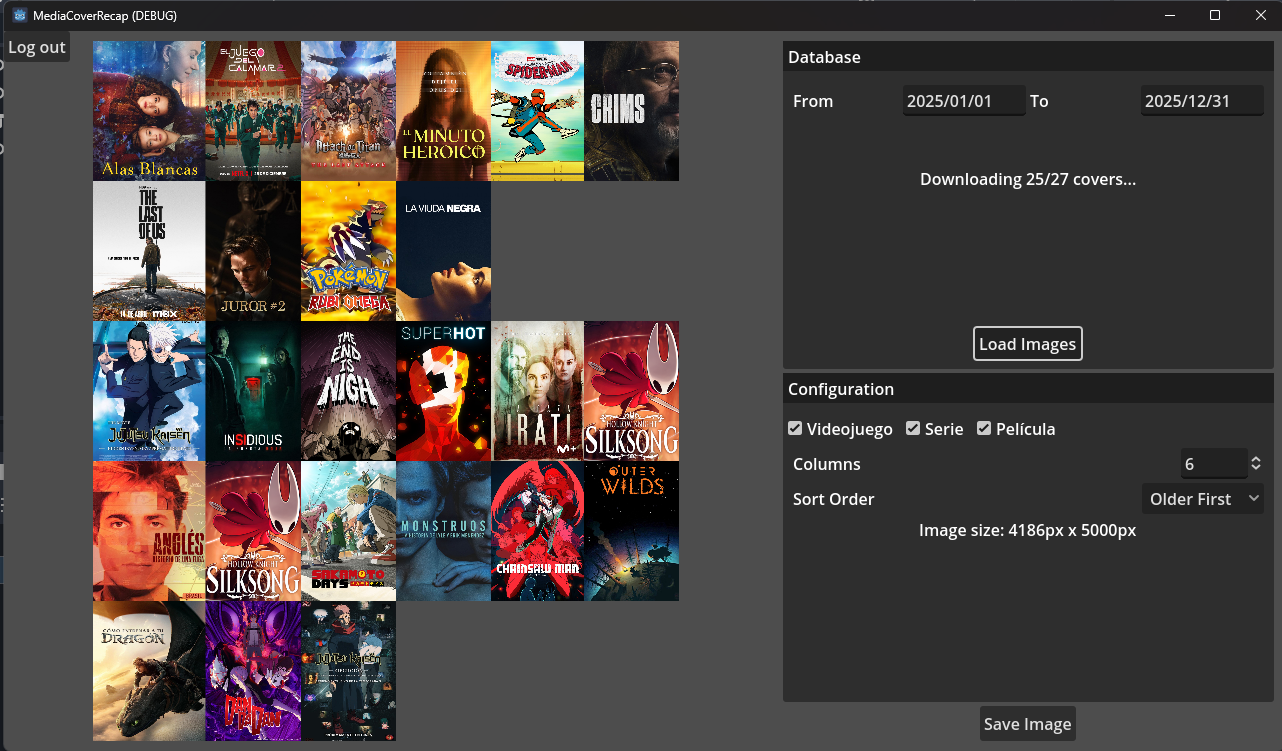
Before the end of 2024, I liked the idea of making a collage with all the covers of everything I had consumed that year, and I got to work on it. To solve that, Notion has an API that allowed me to grab information from my databases, and that’s how I made the Media Cover Recap, a web project in Godot that generated collages from the Notion database. Obviously, Godot is not the best tool for that, but back then, I was very obsessed with Godot and wanted to try it.
It worked decently, but the main problem was CORS, which doesn’t allow HTTP requests from one service to another. So either I created a small server that redirected the requests, or I made it a desktop and mobile application. And that wouldn’t be a good solution either because images with links can become unavailable or the Notion API can change, and it would stop working. So all the time I dedicated to this project was destined to go to waste.
Conclusion
Having seen all this, I wanted something more, to give it a little push so that it would be perfect and I would feel comfortable with what I was using. The Notion solution was more than decent, but it had major drawbacks. Adding a new item was somewhat uncomfortable, I could only use it with an internet connection, navigating between items was tedious and didn’t allow for a perfect structure, the web was quite ugly and immutable, and the media cover recap was destined to disappear. Even if it was very unlikely, Notion could delete all my content if it wanted to.
That is why, and because I started using Obsidian, I decided to create a new solution for my Media Tracker, this time something more complex to configure but much more comfortable to use. I have achieved a tool that adapts perfectly to me. It is comfortable and has everything I need. But I will explain that in the next post.
See you later!