Hey again.
A few months ago the strap on my Mi Band 4 broke. The strap I usually buy costs less than €2, but I thought maybe it was time to upgrade instead. I’m not really a watch person, I don’t check the time much (that’s why I’m usually late) and I mostly use it to track my steps. Still, I fancied something bigger, with better sensors, and if it could connect to Strava, even better. My partner had recently bought a Mi Band 10, so without thinking much I bought the same one.
Customization
I don’t usually have many accessories, but the ones I do have I want to be things I like, that say a little bit about me. On the Mi Band 4 I had a pretty cool Poketch watch face. There are very few official skins and the ones that exist are pretty ugly and in a language that doesn’t use the international system. Since it’s very new, very few people have made skins, and of course there wasn’t a Poketch one, so it was time to get to work.
Getting to work
It’s honestly all pretty chaotic. Xiaomi doesn’t provide an easy way to customize watch faces, and the ones the community has made are a bit sketchy.
I used the Mi Create program, which was the one that gave me the most confidence.

ooflet/Mi-Create
Unofficial watchface creator for Xiaomi wearables ~2021 and above
It’s a program that lets you create a project for different watches, including the Mi Band 10. It’s really an XML with different components that bind data from the band, like steps, the time or the temperature, to images of the digits 0 through 9.
A few years ago (I just checked and it’s been 5 years, that’s rough) I made the Poketch in Unity with some friends. It was honestly a really cool project and we had a great time. My idea was to grab the sprites from that project, but I found this Poketch for Mi Band 7 project that was practically identical to what I needed. I downloaded the file and unzipped it. It was a .bin file, but it’s just a zip in disguise. It contains all the images.
Time to open Mi Create and start a new project. It’s not too complex to use. I went adding the images, adjusting the sizes and tweaking a few things.
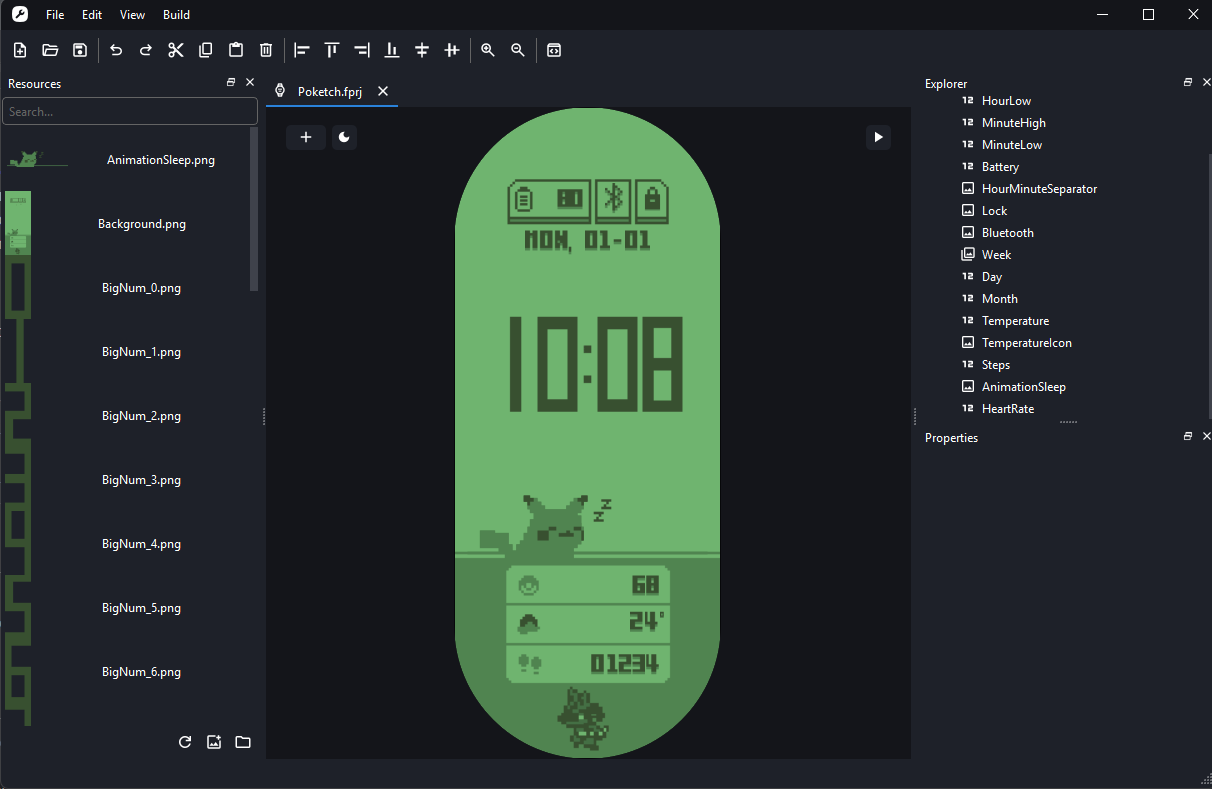
There are a few things I changed. I removed the Lucario at the bottom, used a DD-MM date format, translated the day names, and enlarged everything so it looks better. I also added a small animation so it wouldn’t look so static.
Here’s the final result:
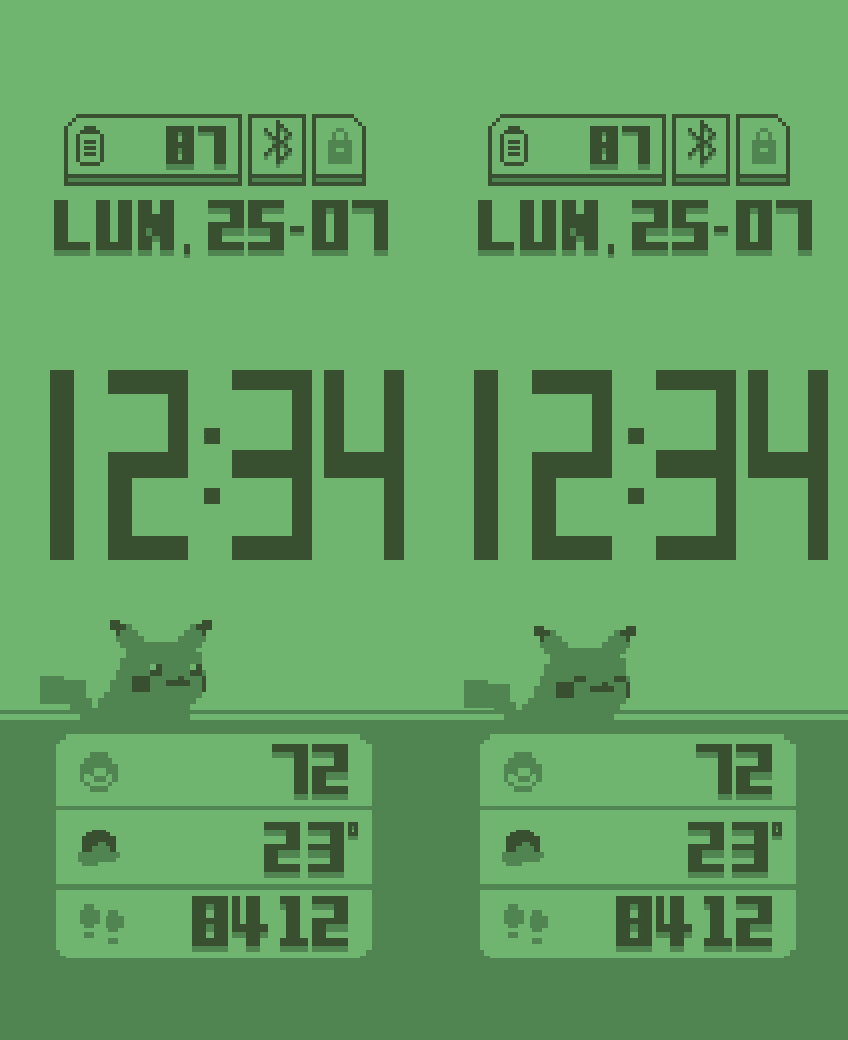
The pixels look pretty distorted, I understand it’s because it’s been converted several times and the artifacts carried over, though on the watch’s actual screen you can’t even tell.
How do I get it onto the watch?
The million-dollar question. I already had everything done and it seemed like I was going to have to sell all my data. According to Mi Create’s documentation, I had to install some sketchy version of Mi Fitness and hand over my watch’s MAC address to some Russian servers, so I wasn’t too confident.
There’s an open source app, Gadgetbridge, that lets you do several things, but the specs said the Mi Band 10 didn’t have great compatibility. Another option is Notify for Xiaomi, which is on Google Play and gave me more confidence.
I installed it and went through the steps to connect it to the watch. It gave me a lot of trouble and I ended up uninstalling the Mi Fitness app, and then I managed to connect it. The process is very easy: from Mi Create you export, and from the app you load the file and it uploads automatically.
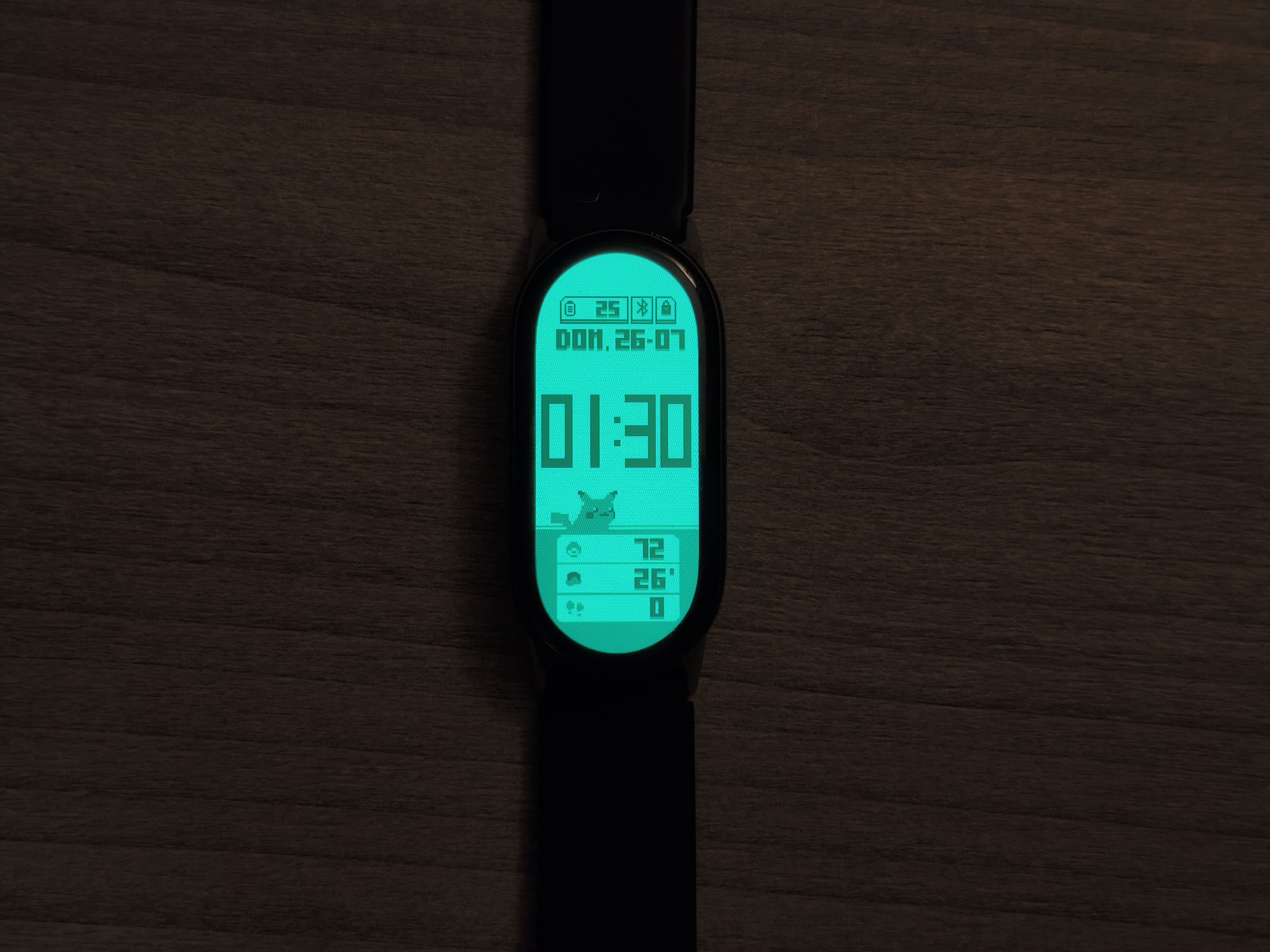
And that’s it, I now have my Poketch on the Mi Band 10.
Project
I’ve uploaded the project to GitHub in case anyone’s interested, or in case I ever need to change something.

christt105/poketch-mi-band10
I’ve also uploaded it to amazfitwatchfaces, although it might not be available yet.
Wrapping up
And that’s it. A one-day project, one less thing to do.
Until next time.